Social Icons

Showing posts with label web. Show all posts

Monday, June 28, 2010

Blogger gets Facebook, Twitter share buttons.


Sharing has become very important on the web and there’s hardly a website out there that doesn’t enable users to easily share a story or a piece of content. This is more than valid for blogs, which really thrive from readers sharing a post with their friends. hence , Blogger has finally introduced some new sharing tools for blogs, enabling readers to spread their appreciation over email and social networks.

Capture

Blogger now offers new share buttons. The new buttons can be placed under each post and let your blog readers easily share your post via email, Blogger, and popular social networks—we now support Google Buzz, Twitter, and Facebook, and we plan to add more services in the future.

Says Jiho Han, Software Engineer in blogger buzz

You can start having the new share buttons show up under your posts by editing the Blog Posts widget and enabling Show Share Buttons in Design | Page Elements. Go ahead and turn the new sharing buttons on, and let some fun sharing begin

Blogger-Finally-Gets-Twitter-Facebook-Share-Buttons-2

Sunday, June 27, 2010

Web2PDF : view blocked web sites as PDF files.


There are ample ways to view blocked web sites , browse by IP , browse via proxy servers or using google cache to access cached pages. If  none of these worked for you there is another option. convert web pages to PDF.
Web2PDF is a free service which converts the page directed by URL you enters into  a PDF file.

Csapture

Enter the desired URL and press convert to PDF button, you can configure the resulting PDF file by pressing options button for an example change the image compression level  , page size and even set up passwords for it. once converted  web2pdf provides options to download or view in Google Docs or to upload it and share it online.

Capture

Saturday, June 26, 2010

Meebo - web-based instant messenger


Meebo is a web-based instant messaging solution. Rather than requiring you to install a client on your computer, you handle all of your instant messaging affairs through the Meebo web site.

6-26-2010 9-21-46 AM

Registration is optional if you're using a single service like AIM, Yahoo! Messenger, Google Talk, or MSN Messenger; you can simply use your credentials for that service to log into it through Meebo. If you want to build a more fleshed out profile that logs into multiple services at once, you'll need to sign up for a free Meebo account. One bonus for people behind a corporate firewall, assuming that your firewall isn't blocking the actual Meebo site, is that as long as you can use secure web sites (those with the https:// designation), you can connect to all your favorite chat services.

Monday, June 7, 2010

Miro : Download torrents and podcasts, play any video


Miro is a free HD video player and torrent downloader. It can play almost any video file and offers over 6,000 free internet TV shows and video podcasts. You can subscribe to channels of Internet video, download videos, and watch them full screen, one after the other, all in one application. Miro has a simple interface designed for fullscreen HD video. Since Miro downloads most videos, you can take your shows with you, even on an airplane. Miro is completely free and open source.

Features include torrent support for downloading torrents and viewing their content in the same app; folder watching; resumable playback; channel surfing, which organizes video feeds by topic; video sharing and hosting; and assistance in creating and distributing videos. Version 3 introduces extensive subtitle support, better metadata management, and a higher maximum volume. Note that Miro's installation still opts users in to changes you might not want, such as making Bing your default search engine. As long as you're aware of it, though, Miro still makes for an excellent media management tool.

Miro Feature Guide. | Screenshots

Download Miro 3.0.2 for ( Windows | OS X | Ubuntu | Other Linux Distros)

Monday, April 26, 2010

Screenr - Online screen recording tool


Screenr is a web service which is able to create screencasts without downloading any software to your PC. Main goal of this web service to share casts with your Tweeter friends but it can be used to stream , publish in youtube , download your screencasts .  pretty easy to use and available for both Macs and PCs.


Here is a sample I recorded.


Wednesday, April 21, 2010

Firefox 3.6.4 beta available for download and testing


A beta of Firefox 3.6.4 is now available for download and public testing. This version of Firefox will offer uninterrupted browsing for Windows and Linux users when there is a crash in the Adobe Flash, Apple Quicktime, or Microsoft Silverlight plugins. If a crash in one of these plugins happens, Firefox will continue to run and users will be able to submit a crash report before reloading the page to try again:
 
 
 Mozilla Developer Center

Are Computers Male or Female?


Why computers may be female:
  1. No one but their creator understands their internal logic.
  2. The native language they use to communicate with other computers is incomprehensible to everyone else.
  3. Even the smallest mistakes are stored in long-term memory for later retrieval.
  4. As soon as you commit to one, you find yourself spending half your paycheck on accessories for it.
Why computers may be male:
  1. In order to do anything with them, you have to turn them on.
  2. They have a lot of data but still can’t think for themselves.
  3. They are supposed to help you solve problems, but half the time they ARE the problem.
  4. As soon as you commit to one, you realize that if you had waited a little longer, you could have gotten a better model.

...

    Monday, April 19, 2010

    How to Choose a Web Browser


    What is a Web Browser?
    A Web browser is the software that lets you access the Web.The browser you use can make a huge difference in how you experience the Internet, so being able to choose a browser is important.
    How to Choose a Web Browser?
    Does your browser display all the sites you want to visit? When Web pages aren’t working with a browser you’ll notice missing text, images or functionality. Pay attention to how sites look and perform—if things aren't that great, try using another browser.

    Can you customize the browser to your individual preferences?
    Many browsers let you change the way they look or even make functional adjustments. Some browsers let you block ads, or secure your computer from malicious programs. Explore browser customization options before making your choice. 

    Does your browser respect your privacy?
    As you browse the Web you develop browsing history, a record of all the sites you visit. Some browsers let you turn this data collection o . Other browsers may set things up to access and use your browsing history when you're using their software. Read your browser's privacy policy to find out more about how personal data is handled.

    Is your browser secure?
    The Internet is a place most of us shop, bank and share information regularly. But using the Web can expose you to viruses, scams and other online security threats, so it's good to have a browser that provides protection against these things. Some browsers are more devoted to building software and options that optimize security than others. Familiarize yourself with your browser's security features. 

    Can you easily manage your browsing data?
    It's hard to remember passwords for all the sites you visit, let alone the address of a site you saw weeks ago. Many browsers have features to help you keep organized and on track.

    How does your browser perform?
    The speed at which a Web page loads is one measurement of browser performance. Some browsers require more of your computer’s memory or crash more frequently than others. To evaluate browser performance, visit the same site using di erent browsers and see which one feels best to you. 


    Opera 10.5x for Mac RC has been released


    Opera 10.5x release candidate has been released of late.
      
    Download
    How to install
    1. Save the file to your hard drive

         2. Open the downloaded file and accept the license agreement


         3. Drag the Opera icon to your Applications Folder


    Saturday, April 17, 2010

    How to add images to your mail | Gmail


    This is an experimental feature offered by Gmail . login to your Gmail account and click settings , of the sub sections available click on Lab . Scroll down until you find Insert image feature and enable it. then you can insert image from your drives or insert images by URLs. be aware that these are experimental features and might cause glitches in some browsers. In such issues refer to the above mentioned lab section and follow the instructions.


    1-Click YouTube Downloader Add-on for Firefox


    1-Click YouTube Video Download 1.4


     There are hundreds of ways to download youtube videos 1 Click youtube downloader is the Add on I completely  rely on , It is easy to use , a single click pulls up the video you want as a FLV(Flash video) , MP4  even HD if the particular video is available in HD. compatible with the new youtube page template.
     
    Check out my other post on  How to download facebook videos using firefox too.

    ---

    Tuesday, April 13, 2010

    Windows 7 SP1 On it's way | Beta Leaks – Screenshots


    Windows 7 SP1 has finally leaked and should be available in the usual areas soon for anyone who wants to give it a try.  I have gotten my hands on this build of SP1 and will show off a few shots for your viewing pleasure.

    First off, this build is very recent, with a compile date of March 27th.  The full build string is as follows:
    6.1.7601.16537.amd64fre.win7.100327-0053

    The install process is much of what you would expect from a service pack installer, but one thing I noticed is the installation is MUCH faster than the install process for service packs on Vista was, which is a very welcome change.  Below are some screenshots from the installation process of Windows 7 SP1:


    Download sources will be available soon in usual places.


    ..

    Monday, April 12, 2010

    ALL ABOUT Internet Anonymity


    anond

    I nternet anonymity is, in essence, the subject of internet privacy and its issues. Internet

    anonymity is basically the method by which people send messages and conduct business via the Internet without revealing their true identity. The information that they do reveal is controlled by the user him or herself. It includes the obvious personal information, however maintaining Internet anonymity extends far beyond the user: it includes computer information and location as well. To maintain Internet anonymity means to utilize the Internet without giving anyone the ability to trace or link web activity, or personal information, back to the user.

    Those who are concerned about Internet anonymity often discuss several risks to personal privacy. Cookies are among the most talked about privacy risk. Cookies are text sent to a web browser about a site or page that has been visited. The text is stored by the computer’s server and sent back every time that particular web page is revisited. It makes for downloading the page quicker since the computer accessing the page is authenticated by the cookie. Cookies also contain specific information about the user, such as preferences, passwords, log-in IDs and even electronic shopping cart information. This is why the cookie is considered a privacy risk by Internet users, and has thus been disabled by many computer owners prior to surfing the web.

    Advocates for Internet anonymity argue that it is the most important aspect of free speech on the Internet. Anonymity allows for Internet users to express themselves freely without worry of being discovered or tracked, ridiculed, or harassed. This is important to online discussions and forums, especially those involving personal questions or topics, in which those participating do not want to have to admit who or where they are. A perfect example of the importance of such anonymity is in medical forums where patients are free to ask medical questions of doctors or others with similar medical afflictions. Advocates also maintain that Internet anonymity is essential for transmitting information that must remain anonymous. The reporting of illegal activities and criminal behavior via the Internet is also an example of how vital anonymity can be: it gives witnesses and reporters the comfort and security necessary to offer their testimony.

    Opponents argue that certain abuses and illegal activities are perpetuated by available Internet anonymity. Spam, or unsolicited email, is a common abuse of Internet anonymity. Most spam emails are junk mail and non-threatening; however, there have been cases where spam has been utilized to communicate hate-speech, threats, and harassment, and the anonymity of such spam has made it difficult, if even impossible, to track their originators. Opponents also debate that anonymity protects criminals and sexual predators. These offenders utilize the forums and discussions groups that protect the identity of all users to target their prey via the Internet.

    The reality of Internet anonymity is that it will be a subject of heated discussion for years to come. Fortunately there exist avenues that Internet users can take to protect their identity, preferences, and IP addresses, if anonymity is important to them. Disabling cookies is common choice and some web browsers, like Mozilla Firefox and Opera, have a setting that automatically deletes all cookies at the end of an Internet session. Overall, users need to remain cognizant of what information they provide on the Internet, including that in on-line screen names and profiles, if they want to maintain anonymity while using the web.


    ….

    Visual Studio 2010 Launch


    home-hero-boxshot

    visualstudio2010_dvx_shellbase_2

    VS2010StartPage

    Visual Studio 2010 is packed with new and enhanced features that simplify the entire development process from design to deployment. Customize your workspace with multiple monitor support. Create rich applications for SharePoint and the Web. Target multiple versions of the .NET Framework with the same tool. Eliminate the dreaded "no repro" problem with IntelliTrace. And much more.
    Visual Studio 2010 is going to be launched today(April 12th) at the Bellagio Resort in Las vegas. Much awaited moment for .NET developers can be watched live via VS official web of Microsoft.

    Capture


    …

    Friday, April 9, 2010

    Akinator - The web genuis


    Think of a Character and I'll guess it
    That is the promise of Akinator, a virtual genie, designed by genius programmers. Basically, you think of a character in your mind and Akinator will try to guess it through a series of questions.
    This is really fun and it’s really smart. You HAVE to try it at least once, you’ll be amazed 

    Akinator web genie - ask questions

    When I say think of any character, ANY character. It can be real or fictional. It can be an anime character or even comic book characters. Actors, actresses, models, even your personal life characters (not names of course, but something like your sister, your husband, your boss, and others).
    From every question, you simply have to answer “Yes”, “Probably/Partially”, “I don’t know”, “Probably not/Not really”, or “No”.
    The more accurate your answer is, the quicker Akinator can guess who the character is that you have in mind.
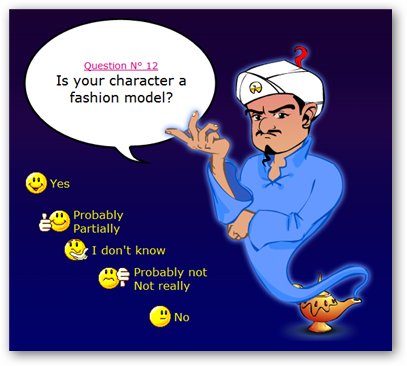
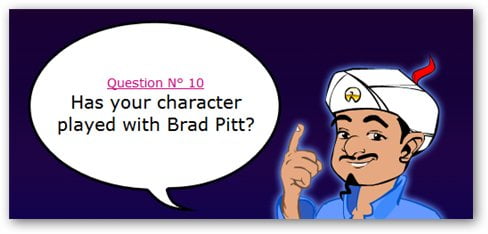
    The questions asked are generic at first but will become more specific after a few questions such as this:


    Angelina Jolie

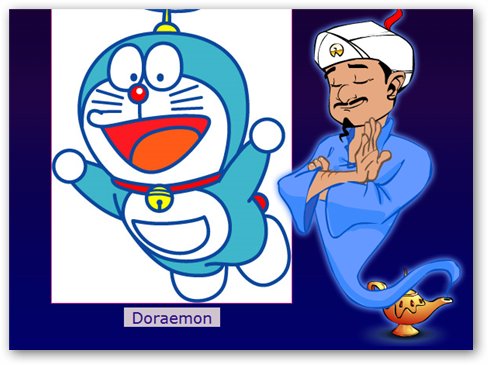
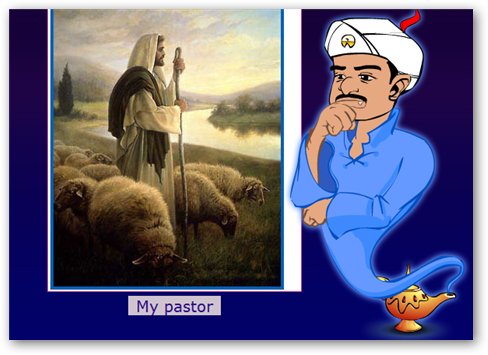
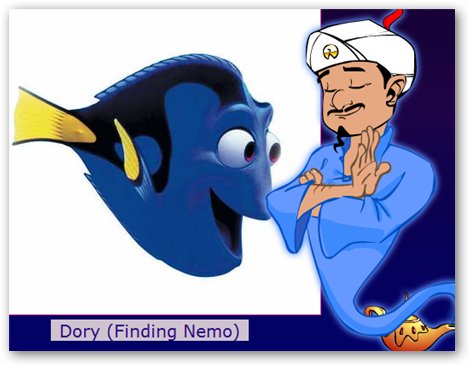
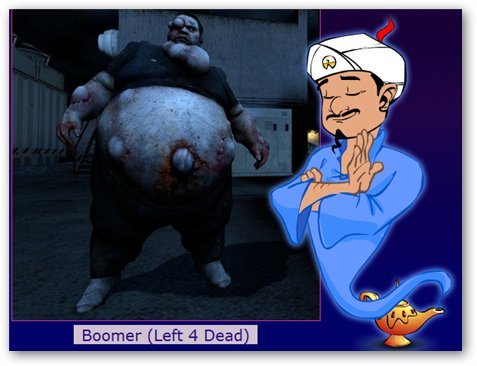
    Normally, it takes 5-20 questions for Akinator to be able to guess your character. So far he’s been able to answer almost all characters that I tested it on. He couldn’t guess one of them because I fed him wrong information a few times   my fault.  Some characters that I tested him on:


    Akinator guessing DoraemonAkinatorAkinator guess Angelina Jolie
    Akinator - The Girl you wantAkinator - YouAkinator guess boomer
    akinator guessing dory

    What are you waiting for?


    Free online video courses from leading universities | Academic earth


    Academic Earth is an organization founded with the goal of giving everyone on earth access to a world-class education.

    As more and more high quality educational content becomes available online for free, we ask ourselves, what are the real barriers to achieving a world class education? At Academic Earth, we are working to identify these barriers and find innovative ways to use technology to increase the ease of learning.

    We are building a user-friendly educational ecosystem that will give internet users around the world the ability to easily find, interact with, and learn from full video courses and lectures from the world’s leading scholars. Our goal is to bring the best content together in one place and create an environment that in which that content is remarkably easy to use and in which user contributions make existing content increasingly valuable.

    We invite those who share our passion to explore our website, participate in our online community, and help us continue to find new ways to make learning easier for everyone.
    I am amazed by the amount of knowledge that can be gained free of charge off this programme. Must be grateful  to all the great people whom are involved in sharing these videos .

    Subjects available: 

    Universities:

    Thousands of lectures to choose from . here are some 


    Thursday, April 8, 2010

    How to Add a Player in your blog and play your playlists


    Using mixpod you can create a playlist , choose a player and finally embed that player in to your blog so that when the site finished loading your playlist  will begin to play.. so cool 

    Simply
    1. Sign up and log in to your account 
    2. Click create new playlist

         3. Search for your favourite songs and add them to the playlist..


           4. Customize the player skin , colors , and other settings such as autoplay and privacy.


             5. Click the Save playlist tab and enter your desired names for the playlist , after finished click Save


             6.  Choose a place to share your playlist and get the code. steps are explained there how to add the  player.


    ...

    Tuesday, April 6, 2010

    Ghost Car- What happened to the car? :S


    – This is probably the most popular video on the Internet today used to scare people with. I saw this video years ago and it seems that it is not disappearing. If you haven’t seen this video yet, I recommend you do but don’t say I didn’t warn you. Most people trick their friends by not even telling them that they are in for a scare

    Friday, April 2, 2010

    Top 10 Awesome Free Blogger Templates


    Thought of changing the theme of my blog and finally ended up in a article in mashable.com .. picked up which is suitable for my blog type(journal). There is not any official blog type called journal as far as I know lol! or may be I am the one who invented it for all i know :)

    Here are some samples posted in the article..


    Have a nice day..
     
     
    Blogger Templates http://slots.to/